Portable utility restoring essential system tools and fixing common configuration errors with a single click
Portable utility restoring essential system tools and fixing common configuration errors with a single click
Vote (5 votes)
Program license Free
Developer LeeLu Soft
Version 2.0
Works under Windows
Vote
(5 votes)
Developer
LeeLu Soft
Works under
Windows
Program license
Free
Version
2.0
Pros
- Portable and requires no installation
- Intuitive, no-frills interface suitable for all users
- Fast one-click repairs of common Windows 7 issues
- No bundled adware or unnecessary extras
Cons
- Supports only 21 predefined repairs
- Limited exclusively to Windows 7
- Lacks advanced features such as undo or detailed logs
Handy utility for fixing common Windows 7 system problems with one click
Overview
7 Quick Fix is a lightweight troubleshooting tool designed specifically for Windows 7 users facing system issues. It addresses frequent problems affecting core Windows features, offering instant repairs without the need for manual configuration or technical expertise.
Portable and Lightweight Solution
One of the main strengths of 7 Quick Fix is its portability. The application requires no installation and can be run directly from a USB drive, making it an excellent choice for those who frequently assist others with Windows 7 troubleshooting. The file size is minimal, ensuring fast downloads and execution, even on older machines.
User-Friendly Interface
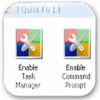
The main window presents a clean, organized layout. Twenty-one clickable icons represent the different fixes available. Each icon includes a simple description that appears when hovering, allowing users to quickly understand the function of each repair. This minimalistic approach means anyone can start using the utility immediately, regardless of technical experience.
Core Features and Functionality
7 Quick Fix focuses on restoring essential Windows 7 tools and settings that might have been disabled or damaged by malware, system errors, or misconfigurations. Among its capabilities are:
Task Manager, Command Prompt, and Registry Editor repair: These commonly targeted system tools can often be locked or hidden by malicious software. 7 Quick Fix restores access in seconds.
Restore Folder Options, Control Panel, and System Tray: If vital interface elements vanish or stop responding, this utility can bring them back.
Reset File Associations and Fix Desktop Settings: Problems opening files or corrupted desktop icons can be corrected without deeper intervention.
Performance and Reliability
The app’s fixes are executed instantly, with each button corresponding to a discrete repair action. No additional configuration or tweaking is required. However, since the set of reparable issues is limited to 21 specific Windows 7 problems, users with less common or more advanced issues may not find solutions here.
Operations are safe for general users, but, as with any system tool, it is advisable to ensure backups are in place before performing widespread changes. No bundled adware or background processes are installed, keeping the system stable and clutter-free.
Limitations
While effective for its selected repairs, 7 Quick Fix does not address a wide array of system problems. It is exclusively tailored for Windows 7, meaning users of newer operating systems will need to look for alternatives. The interface does not provide undo features or detailed logs, requiring confidence in the selected actions.
Summary
7 Quick Fix serves as a targeted utility for restoring essential Windows 7 features quickly and without hassle. Its portability and simplicity make it ideal for both everyday users and IT technicians needing quick fixes for common issues. However, its scope is intentionally limited to a curated set of repairs, so it may not resolve every system problem.
Pros
- Portable and requires no installation
- Intuitive, no-frills interface suitable for all users
- Fast one-click repairs of common Windows 7 issues
- No bundled adware or unnecessary extras
Cons
- Supports only 21 predefined repairs
- Limited exclusively to Windows 7
- Lacks advanced features such as undo or detailed logs